
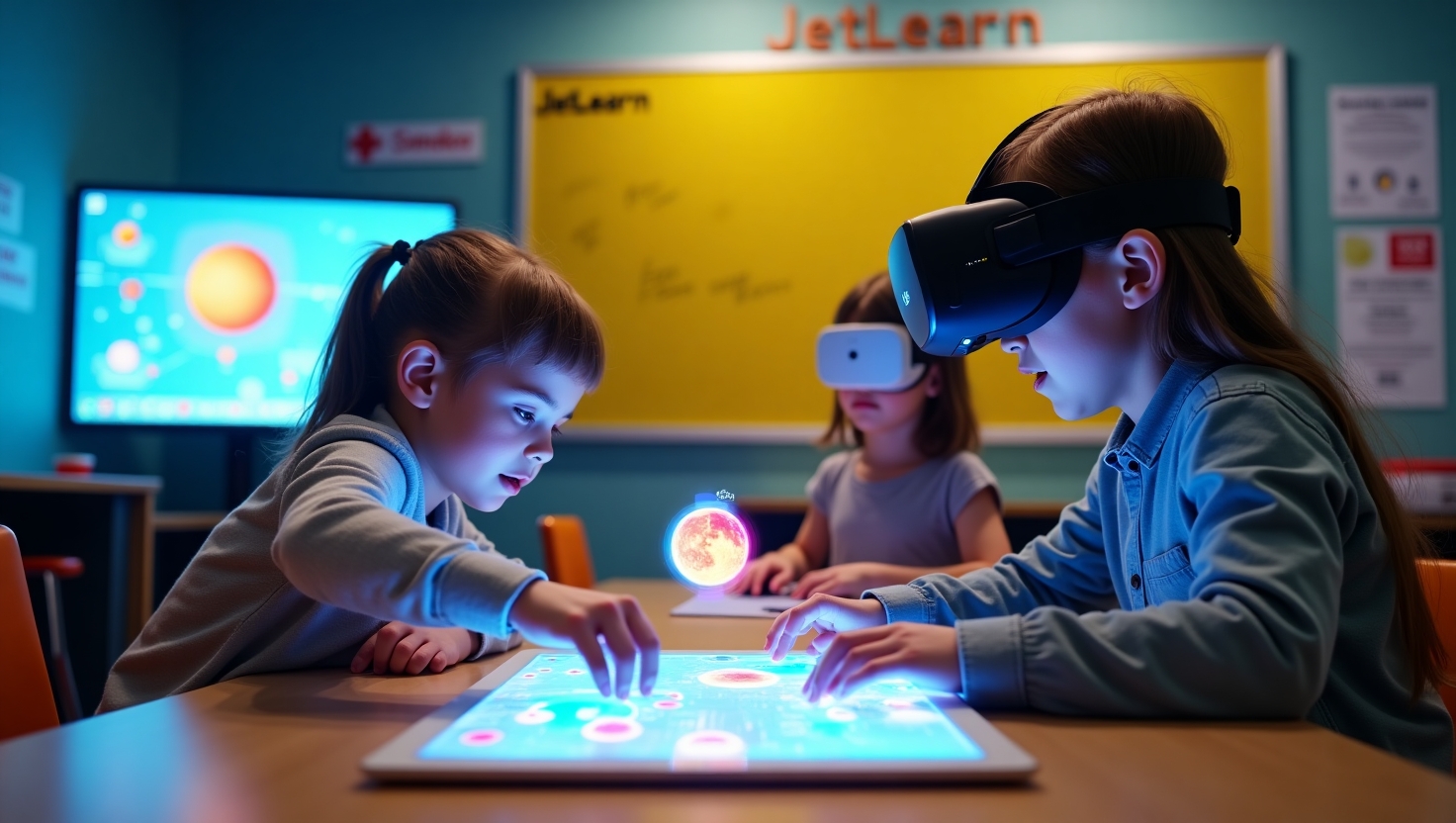
Augmented Reality (AR) and Virtual Reality (VR) are not just new types of screens; they are fundamentally new paradigms for how humans interact with digital information and experience simulated worlds. Together, they form the spectrum of "Extended Reality (XR)," dissolving the boundary between the physical and digital. For makers, engineers, and creators, XR is evolving from a consumption medium into the most powerful design, visualization, and educational tool ever created.
Core Distinction: The Reality-Virtuality Continuum
- Virtual Reality (VR) - Full Immersion: Replaces your physical environment with a completely digital one. You are transported elsewhere. It's a reality substitution.
- Augmented Reality (AR) - Digital Overlay: Layers digital information and objects onto your view of the real world. It's a reality enhancement.
- Mixed Reality (MR) - The Hybrid: A more advanced form of AR where digital objects can interact with and be occluded by the physical world in real-time.
Technology Deep Dive: How the Magic Works
VR: The Immersion Engine
Goal: To trick your brain into believing you're somewhere else through sensory hijacking.
Hardware Components:
- Head-Mounted Display (HMD): High-resolution, high-refresh-rate screens placed inches from your eyes.
-
Precise Tracking:
- Inside-Out: Cameras on the headset (like Meta Quest) track the environment and controllers.
- Outside-In: External sensors (like SteamVR Lighthouses) track the headset and controllers for sub-millimeter precision.
- Controllers: Handheld devices with buttons, triggers, and haptic feedback that become your virtual hands.
- Audio: 3D spatial audio that makes sounds come from specific points in the virtual space.
The "Presence" Factor: The ultimate goal. Achieved through low latency (<20ms), high frame rates (90Hz+), and precise 1:1 motion tracking.
AR: The Contextual Layer
Goal: To seamlessly blend the digital and physical.
Implementation Pathways:
- Handheld AR (Smartphone/Tablet): The most accessible form. Uses your device's camera, gyroscope, and accelerometer. (e.g., Pokémon GO, IKEA Place).
- Smart Glasses (Optical See-Through): The future. Lightweight glasses like Microsoft HoloLens, Magic Leap, and Apple Vision Pro project images directly onto transparent lenses, allowing you to see both worlds simultaneously.
- Heads-Up Displays (HUDs): In automotive and aviation, projecting vital data onto windshields or visors.
Enabling Technology:
- Computer Vision: The software that recognizes surfaces (planes), objects, and spatial maps of your environment.
- Simultaneous Localization and Mapping (SLAM): The critical algorithm that allows the device to understand and remember the 3D geometry of a room in real-time, so virtual objects can stay pinned to the physical world.
The Creator's Toolkit: XR for Makers & Engineers
This is where AR/VR transitions from entertainment to an essential professional and creative tool.
1. Design & Prototyping (The Ultimate Sandbox)
- VR: Software like Gravity Sketch and Adobe Medium lets you create 3D models by drawing in mid-air. It's intuitive, spatial, and revolutionary for conceptual design. You can walk around your creation at full scale.
- AR: Use an app to project your 3D model (from Fusion 360, Blender) onto your real workbench to check scale, fit, and aesthetics before a single gram of filament is used.
2. Simulation & Training (Risk-Free Mastery)
- Drone/RC Pilot Training: Apps like DRL Simulator and Liftoff in VR provide a physically accurate, crash-proof environment to learn acrobatic FPV flying.
- Robotics & Engineering: Visualize robot workspaces, program complex robotic arm paths, or practice hazardous procedure training in a perfectly simulated virtual environment.
3. Education & Visualization (Understanding Complexity)
- Anatomy: Walk through a giant, beating heart.
- Astronomy: Stand on the surface of Mars.
- Mechanical Engineering: Tear down a virtual jet engine, lift out components, and see how they interact—all before touching a real, multi-million dollar machine.
4. Remote Assistance & "Superpowers"
- AR Guides: Point your phone or glasses at a complex machine (e.g., a 3D printer or robot) and see animated repair instructions, part names, and torque specs overlaid directly on the components.
- Remote Expert: A specialist miles away can see your real-world view through your glasses and draw arrows and circles directly into your field of view to guide you.
The Development Landscape: How You Can Build for XR
Primary Game Engines (The Foundations):
- Unity (with XR Interaction Toolkit): The most accessible entry point for beginners. Massive learning resources, asset store, and broad device support.
- Unreal Engine: Known for ultra-high-fidelity graphics. Preferred for enterprise and premium experiences. Steeper learning curve.
Key Development Concepts:
- 3D User Interface (UI): Designing menus and interfaces that exist in 3D space, not on a 2D panel.
- Interaction Models: How users grab, throw, push, and interact with virtual objects.
- Locomotion: Solving the challenge of moving through a large virtual space without causing motion sickness (teleportation, arm-swinger, etc.).
- Optimization: Maintaining 90 FPS is non-negotiable for comfort. This requires expert 3D asset optimization.
Hardware Ecosystem: From Consumer to Creator
| Category | Example Device | Best For | Development Access |
|---|---|---|---|
| VR - Standalone | Meta Quest 3, Pico 4 | Mainstream adoption, wireless freedom, great for education & design apps. | Excellent. Can deploy directly from Unity/Unreal. |
| VR - PC-Powered | Valve Index, Varjo Aero | Maximum fidelity, full-body tracking, professional simulation. | High-end development and research. |
| AR - Mobile | iPhone/iPad (ARKit), Android (ARCore) | Reaching billions, marker-based projects, simple overlays. | Easy to start; uses standard mobile dev tools. |
| AR - Smart Glasses | Microsoft HoloLens 2, Apple Vision Pro | Enterprise, complex spatial computing, hands-free workflows. | Enterprise-focused; development requires specific SDKs and hardware. |
Getting Started: Your Path into XR Creation
Phase 1: Experience & Analyze
- VR: Buy a Meta Quest 3. Don't just play games. Download Gravity Sketch, Google Earth VR, and Brink Traveler. Analyze what makes a good and bad experience.
- AR: Use your smartphone. Experiment with Adobe Aero, Reality Composer (iOS), and Snapchat Lens Studio (a surprisingly powerful free tool).
Phase 2: Learn the Fundamentals
- Take a free course: "Introduction to XR with Unity" on Coursera or Udacity.
- Core Skills: C# programming (for Unity) or C++ (for Unreal), 3D mathematics (vectors, coordinate systems), and basic 3D modeling concepts.
Phase 3: Build Your First Project
- VR Project: Build a simple interactive scene—a room where you can pick up and throw objects.
- AR Project: Create a mobile app that places an animated 3D model of your RC car on a tabletop, which you can view from all angles.
Phase 4: Specialize
- Focus on your passion: Build a VR drone simulator, an AR assembly guide for your robotics kit, or a VR showroom for your 3D printed designs.
The Future: The Spatial Web
AR and VR are converging toward a persistent, shared layer of information over the world—the Spatial Web. Imagine digital notes left on physical machines, historical battles reenacted on real battlefields through your glasses, or collaborative design sessions with colleagues across the globe standing around the same virtual prototype.
Conclusion: The Ultimate Interface for a 3D World
For creators, AR and VR represent the end of the flat screen's limitation. They allow us to interact with data and design in the most natural way possible: spatially and physically. They are not just for consuming content; they are the most powerful tools ever devised for visualizing the complex, teaching the intricate, and prototyping the impossible.
Ready to Shape a New Reality? Step into our developer portal with curated [XR Project Tutorials], [Unity/Unreal Starter Kits], [Hardware Loan Programs], and [Industry Case Studies]. The boundary between your ideas and reality is about to disappear.
| Size | Small, Medium, Large & Extra Large |
| Color | Read, Blue, Green & Black |
| Length | 35 cm |
| Fabric | Cotton, Silk & Synthetic |
| Warranty | 6 Months |
Cobus Bester March 20, 2025
Really happy with this print. The colors are great, and the paper quality is very good.
Cobus Bester March 12, 2025
Really happy with this print. The colors are great, and the paper quality is very good.
Cobus Bester March 11, 2025
Really happy with this print. The colors are great, and the paper quality is very good.